Godot Signals - A Comprehensive Guide (Godot 4)
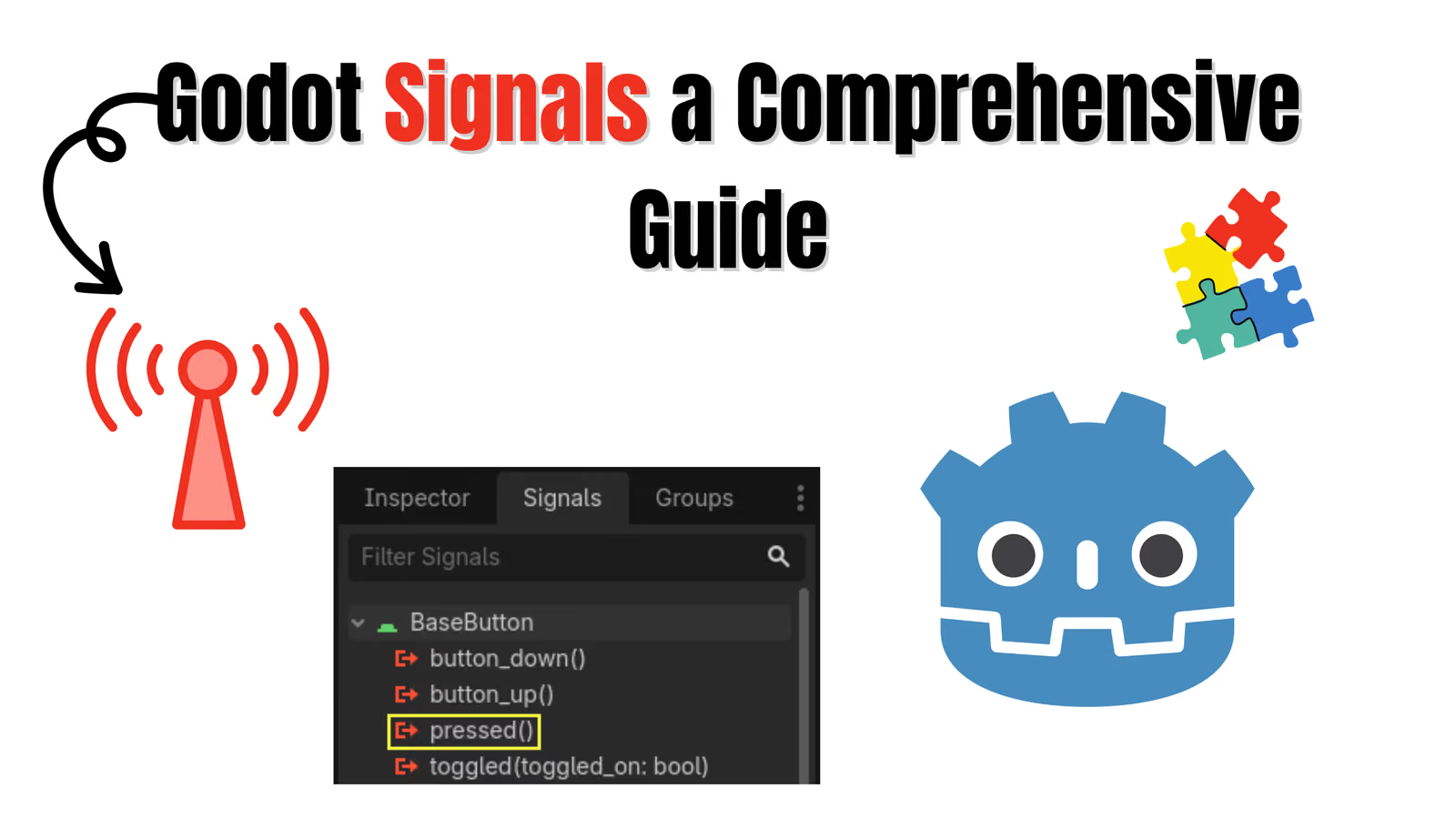
If you have spent more than an hour in Godot, you have already used a signal. You clicked a button, opened the Node dock, double clicked pressed, and Godot wrote a function for you. That is a signal. What most tutorials skip is everything after that first click: how to create your own signals, when to emit them, how to wait for them with await, and how to stop your scene tree from turning into a tangle of connections.
A lot of the material that still ranks for godot signals was written for Godot 3, where the syntax was connect("pressed", self, "_on_pressed") and waiting meant yield. Godot 4 changed all of that. Signals became real objects, yield became await, and the string based API became optional. This guide covers the Godot 4 way from start to finish, with the old syntax called out only where it helps you read older code.
This post is part of my GDScript series. If you have not read them yet, the Godot Enum guide, the Godot Dictionary guide and the Godot Array guide pair well with this one.
1. What Is a Signal in Godot?
A signal is a message that a node sends out when something happens. The node that sends it does not know or care who is listening. Any number of other nodes can connect to that signal, and each of them gets a callback when it fires.
This is the classic observer pattern, built into the engine. It solves a very specific problem: a Player should not need a reference to the health bar, the sound manager, the achievement system and the game over screen just to say "I took damage". The player announces it once, and whoever cares reacts.
A short rule that Godot developers repeat a lot sums it up:
Call down, signal up. A parent may call methods on its children directly. A child should report back to its parent (or to anyone else) through signals.
Following that rule keeps child scenes reusable. A HealthComponent that only emits signals can be dropped into a player, an enemy or a destructible crate without changing a line of it.
2. Connecting a Built-in Signal in the Editor
Every built-in node ships with signals. A Button has pressed, a Timer has timeout, an Area2D has body_entered, an AnimationPlayer has animation_finished, and so on.
To connect one without writing code:
- Select the node in the Scene tree.
- Open the Node dock (next to the Inspector) and pick the Signals tab.
- Double click the signal, choose the node that should receive it, and press Connect.
Godot creates a method with a name like _on_start_button_pressed in the receiving script and marks the connection with a small green icon in the script editor gutter.
gdscriptfunc _on_start_button_pressed() -> void: get_tree().change_scene_to_file("res://scenes/level_1.tscn")
Editor connections are saved inside the .tscn file. That makes them easy to see in the dock, but it also means they are invisible when you only read the script. For anything that is created at runtime, or for connections you want visible in code review, connect in code instead.
3. Connecting a Signal in Code (Godot Connect Signal)
In Godot 4 a signal is a property on the object, and it has a connect() method that takes a Callable. A method name without parentheses is a Callable, so the common case reads very naturally:
gdscript@onready var start_button: Button = $StartButton @onready var spawn_timer: Timer = $SpawnTimer func _ready() -> void: start_button.pressed.connect(_on_start_pressed) spawn_timer.timeout.connect(_on_spawn_timer_timeout) func _on_start_pressed() -> void: print("Game started") func _on_spawn_timer_timeout() -> void: spawn_enemy()
You can also connect a lambda when the handler is tiny and used only once:
gdscriptstart_button.pressed.connect(func(): print("Clicked"))
The callback must accept the same arguments the signal sends. Area2D.body_entered sends the body that entered, so its handler needs one parameter:
gdscriptfunc _ready() -> void: $Hitbox.body_entered.connect(_on_hitbox_body_entered) func _on_hitbox_body_entered(body: Node2D) -> void: if body.is_in_group("enemies"): body.take_damage(10)
If the argument count does not match, Godot reports an error when the signal fires, not when you connect it. When a connection seems to do nothing, check the output panel for that error first.
The Old String Syntax
You will still see this in older answers and in Godot 3 projects:
gdscript# Godot 3 style, still accepted by Object.connect() in Godot 4 connect("pressed", Callable(self, "_on_pressed"))
Prefer pressed.connect(_on_pressed). It is shorter, the editor can autocomplete it, and a typo in the signal or method name becomes a parse error instead of a silent failure at runtime.
4. Creating a Custom Signal
Built-in signals cover engine events. Your game needs its own events too: the player died, the score changed, a quest was completed. Declare them with the signal keyword at the top of the script:
gdscriptextends Node class_name HealthComponent signal health_changed(old_value: int, new_value: int) signal died @export var max_health: int = 100 var health: int func _ready() -> void: health = max_health
A few notes on the declaration:
- Parameters are optional.
signal diedwith no parentheses is perfectly valid. - Type hints on parameters (
old_value: int) document the signal and power autocomplete. Treat them as a contract for readers rather than a runtime guarantee, and keep your emits consistent with them. - Use past tense names for things that already happened (
died,health_changed,item_picked_up). It reads correctly at the connect site:health.died.connect(_on_died).
Custom signals show up in the Node dock exactly like built-in ones, so designers can wire them in the editor as well.
5. Emitting a Signal (Godot Emit Signal)
To fire a signal, call emit() on it and pass the arguments in the same order as the declaration:
gdscriptfunc take_damage(amount: int) -> void: if health <= 0: return var old_health := health health = max(health - amount, 0) health_changed.emit(old_health, health) if health == 0: died.emit()
The older form, emit_signal("health_changed", old_health, health), still works in Godot 4. It is useful only when the signal name is stored in a variable. For everything else health_changed.emit() is safer because the editor checks that the signal exists.
A Full Example: Health Bar Listening to a Player
Here is the pattern end to end. The player owns a HealthComponent, and the UI listens to it without the player knowing the UI exists.
gdscript# hud.gd extends CanvasLayer @export var player_health: HealthComponent @onready var bar: ProgressBar = $HealthBar func _ready() -> void: bar.max_value = player_health.max_health bar.value = player_health.health player_health.health_changed.connect(_on_health_changed) player_health.died.connect(_on_player_died) func _on_health_changed(_old_value: int, new_value: int) -> void: bar.value = new_value func _on_player_died() -> void: $GameOverPanel.show()
Assign the HealthComponent to the exported property in the Inspector and you are done. The underscore in _old_value tells GDScript you are intentionally ignoring that parameter, which silences the unused parameter warning.
6. Passing Extra Data with bind() and unbind()
Sometimes the receiver needs information the signal does not send. The classic case is a row of buttons that all call one handler, where you need to know which button was pressed. Button.pressed sends nothing, so you attach the extra data with bind():
gdscriptfunc _ready() -> void: for i in $LevelButtons.get_child_count(): var button: Button = $LevelButtons.get_child(i) button.pressed.connect(_on_level_button_pressed.bind(i + 1)) func _on_level_button_pressed(level_number: int) -> void: print("Loading level ", level_number)
Bound arguments are appended after the arguments the signal itself sends. For body_entered with a bound value, the handler signature becomes func _on_body_entered(body: Node2D, extra_value).
The opposite tool is unbind(n), which drops the last n arguments the signal sends. It lets you reuse a function that takes no parameters:
gdscript# value_changed sends a float, but refresh_ui() takes nothing $VolumeSlider.value_changed.connect(refresh_ui.unbind(1))
In Godot 3 you passed binds as an array (connect("pressed", self, "_on_pressed", [i])). In Godot 4 that array is gone and bind() replaces it.
7. Connection Flags: One Shot, Deferred and More
connect() accepts an optional second argument with flags from Object.ConnectFlags. Two of them solve real, common problems.
CONNECT_ONE_SHOT disconnects automatically after the first call. Perfect for "do this the next time X happens, then forget about it":
gdscript$AnimationPlayer.animation_finished.connect(_on_intro_finished, CONNECT_ONE_SHOT)
CONNECT_DEFERRED queues the call until the end of the current frame instead of running it immediately. This fixes the infamous physics error you get when you add, remove or disable collision shapes inside a physics callback such as body_entered:
gdscript$PickupArea.body_entered.connect(_on_pickup_body_entered, CONNECT_DEFERRED) func _on_pickup_body_entered(_body: Node2D) -> void: $CollisionShape2D.disabled = true var burst: Area2D = burst_scene.instantiate() get_parent().add_child(burst)
Without the flag, disabling the shape and adding a new physics body in the middle of the physics step triggers a "flushing queries" error. With it, the work happens safely once the step is over.
You can combine flags with the bitwise OR operator, for example CONNECT_ONE_SHOT | CONNECT_DEFERRED, because each flag is a distinct bit. If bitflags are new to you, the bitflag section in my Godot Enum guide explains how they combine.
| Flag | What it does | When to use it |
|---|---|---|
CONNECT_DEFERRED | Runs the callback at idle time, end of frame | Changing physics state inside physics signals |
CONNECT_ONE_SHOT | Disconnects after the first emission | One-time reactions, intro sequences |
CONNECT_PERSIST | Saves the connection into the scene file | Editor plugins and tool scripts |
CONNECT_REFERENCE_COUNTED | Allows connecting the same callable several times, counting each | Rare, advanced systems |
8. Waiting for a Signal (Godot Await Signal)
This is where Godot 4 really shines. await pauses the current function until a signal fires, then continues from the same line. It replaces Godot 3's yield(object, "signal_name").
Waiting for a Timer
The most common use is a quick delay without adding a Timer node:
gdscriptfunc flash_damage() -> void: modulate = Color.RED await get_tree().create_timer(0.15).timeout modulate = Color.WHITE
Waiting for an Animation
Sequencing animations and gameplay becomes linear and readable:
gdscriptfunc open_chest() -> void: $AnimationPlayer.play("open") await $AnimationPlayer.animation_finished spawn_loot() $Sparkles.emitting = true
Getting Values Back from await
When the awaited signal sends exactly one argument, await returns it. When it sends several, await returns them together in an Array. When it sends none, you get null.
gdscriptsignal choice_made(option_index: int) func ask_player() -> void: $DialogBox.show_options(["Help the stranger", "Walk away"]) var picked: int = await choice_made if picked == 0: start_side_quest()
This is a lovely pattern for dialog, confirmation popups and turn based combat, where the code naturally reads as "show a choice, wait, react".
Coroutines Must Be Awaited Too
Any function that contains await becomes a coroutine. If you call it without await, the caller does not wait. It keeps running while the coroutine is paused in the background:
gdscriptfunc _on_chest_clicked() -> void: await open_chest() # waits for the whole sequence print("Chest fully opened")
Forgetting that await is the single most common source of "why did this line run too early" bugs in Godot 4.
A Caution About Freed Nodes
If the node running a coroutine is freed while it is paused, the function simply never resumes. That is usually what you want. The danger is the opposite case: awaiting a signal on another node that gets freed before it emits, which leaves your coroutine waiting forever. When the awaited node might disappear, check is_instance_valid() after the await, or use a timer as a fallback.
9. Disconnecting and Checking Connections
Connections to a node are cleaned up automatically when that node is freed, so you rarely need to disconnect by hand. When you do, for example when swapping the player a UI follows, use disconnect() and is_connected():
gdscriptfunc follow_new_target(new_health: HealthComponent) -> void: if current_health and current_health.health_changed.is_connected(_on_health_changed): current_health.health_changed.disconnect(_on_health_changed) current_health = new_health current_health.health_changed.connect(_on_health_changed)
Connecting the same callable to the same signal twice raises an error, which often happens when _ready() runs again after a node is re-added to the tree. The is_connected() guard avoids that.
A lambda connected inline cannot be disconnected later because you have no reference to it. If you might need to disconnect it, store it in a variable first:
gdscriptvar _on_hit := func(amount: int): shake_camera(amount * 0.1) func _ready() -> void: player.damaged.connect(_on_hit) func _exit_tree() -> void: player.damaged.disconnect(_on_hit)
10. Signals as First-Class Values
In Godot 4 a signal is a real value of type Signal. You can store it, pass it into functions and inspect it:
gdscriptfunc wait_for_any(signals: Array[Signal]) -> void: for s in signals: print("Listening to ", s.get_name()) func _ready() -> void: var on_death: Signal = $Player.died on_death.connect(_on_player_died) print(on_death.get_connections())
get_connections() returns an Array of Dictionaries describing every connection, which is handy for debugging "who is listening to this?".
11. The Signal Bus (Event Bus) Pattern
"Call down, signal up" works well inside a scene. It gets awkward when two unrelated scenes need to talk, for example an enemy deep inside the level and an achievement popup in the HUD. Passing references through five layers of the tree just to connect a signal is fragile.
The standard answer is a signal bus: an autoload that only declares signals.
gdscript# events.gd, added as an Autoload named "Events" extends Node @warning_ignore("unused_signal") signal enemy_killed(enemy_type: String, position: Vector2) @warning_ignore("unused_signal") signal coin_collected(amount: int) @warning_ignore("unused_signal") signal level_completed(level_number: int)
Any script can emit, and any script can listen:
gdscript# enemy.gd func die() -> void: Events.enemy_killed.emit("slime", global_position) queue_free() # achievements.gd func _ready() -> void: Events.enemy_killed.connect(_on_enemy_killed) func _on_enemy_killed(enemy_type: String, _position: Vector2) -> void: kills[enemy_type] = kills.get(enemy_type, 0) + 1
The @warning_ignore("unused_signal") lines are there because the bus declares signals it never emits itself, which Godot would otherwise flag.
Use the bus for genuinely global events. Keep local relationships (a button and its menu, a health component and its health bar) as direct connections. A bus with a hundred signals becomes just as hard to trace as the spaghetti it replaced.
12. Godot 3 to Godot 4 Signal Cheat Sheet
| Task | Godot 3 | Godot 4 |
|---|---|---|
| Connect | connect("pressed", self, "_on_pressed") | pressed.connect(_on_pressed) |
| Connect with data | connect("pressed", self, "_on_pressed", [5]) | pressed.connect(_on_pressed.bind(5)) |
| Emit | emit_signal("died") | died.emit() |
| Wait | yield(timer, "timeout") | await timer.timeout |
| Wait on a coroutine | yield(do_thing(), "completed") | await do_thing() |
| One shot | CONNECT_ONESHOT | CONNECT_ONE_SHOT |
13. Common Mistakes and How to Fix Them
| Mistake | Symptom | Fix |
|---|---|---|
| Handler has the wrong number of parameters | Error in output when the signal fires | Match the signal's arguments, use _name for ignored ones |
Calling a coroutine without await | Code after the call runs too early | await my_coroutine() |
Connecting in _ready() of a node that re-enters the tree | "already connected" error | Guard with is_connected() or connect once |
Changing collision shapes in body_entered | Physics "flushing queries" error | Use CONNECT_DEFERRED or set_deferred() |
| Child calls methods on its parent | Child scene breaks when reused | Emit a signal and let the parent connect |
| Everything goes through the global bus | Impossible to trace who reacts | Keep the bus for truly global events |
14. Frequently Asked Questions
Are Godot signals slow?
No. Emitting a signal costs about as much as calling each connected function, plus a small lookup. For gameplay events (damage, pickups, UI updates) the cost is negligible. Avoid emitting inside tight loops that run thousands of times per frame, the same way you would avoid any unnecessary function calls there.
What is the difference between a signal and a direct method call?
A method call requires the caller to know the receiver. A signal lets the sender stay ignorant of who is listening. Use a direct call when a parent controls a child. Use a signal when a child, or an unrelated system, needs to report something.
Can a signal return a value?
No. Signals are one way. If you need an answer, either have the listener call back a method on the sender, or use await on a second signal that carries the reply, as in the dialog example above.
In what order are connected callbacks called?
Do not build logic that depends on the order. If two listeners must run in a specific sequence, have one of them emit a follow-up signal, or call the second step directly from the first.
How do I connect a signal from an instanced scene?
Connect right after you instance it, before or after adding it to the tree:
gdscriptvar enemy: Enemy = enemy_scene.instantiate() enemy.died.connect(_on_enemy_died.bind(enemy)) add_child(enemy)
Should I use signals or groups?
They solve different problems. Groups let you call a method on many nodes at once (get_tree().call_group("enemies", "freeze")). Signals let many nodes react to one event. A pause menu freezing all enemies is a group call. Enemies reacting to the player dying is a signal.
Conclusion
Godot signals are the glue that keeps a Godot project modular. Declare custom signals for the events your game cares about, emit them with emit(), connect to them with connect(), and let await turn multi-step sequences into straight-line code. Reach for bind() when a handler needs extra context, CONNECT_DEFERRED when physics complains, and a signal bus only for events that are truly global.
If you are moving on from here, signals pair naturally with state machines: each state can emit a signal when it wants to hand control to the next one. I cover that in my Godot State Machine tutorial.
Follow and Support me on Medium and Patreon. Clap and Comment on Medium Posts if you find this helpful for you. Thanks for reading it!!!